

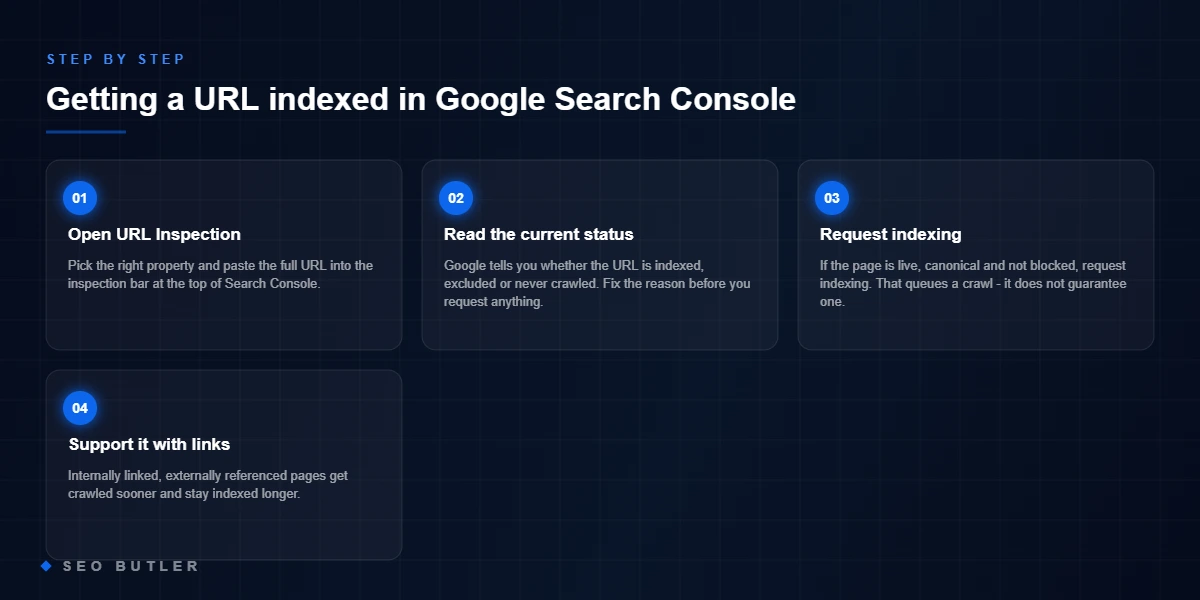
This guide shows you how to index a URL in Google Search Console, step by step, and what to do if Google still will not pick the page up.
A URL that is live but not indexed cannot be found through a Google search at all. As far as searchers are concerned, the page does not exist.
That matters for link building too. If a page is not in the index, any links on it pass nothing, which is why we check indexing on every placement we buy for our own sites.
So an unindexed URL needs fixing, and the first thing to try is a straightforward request through Google Search Console.
Here is how:
- Log in to your GSC account.
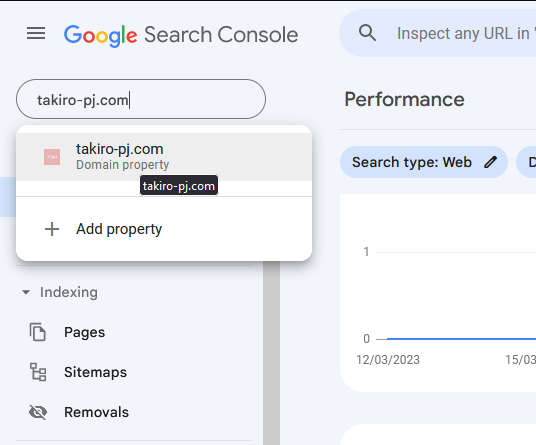
- Find the website the URL belongs to. In this example we use takiro-pj.com. If the site is not in your account yet, add it first; you cannot request indexing for a property you do not own.
- Type the site into the “Search property” field at the top left and click it to select it.
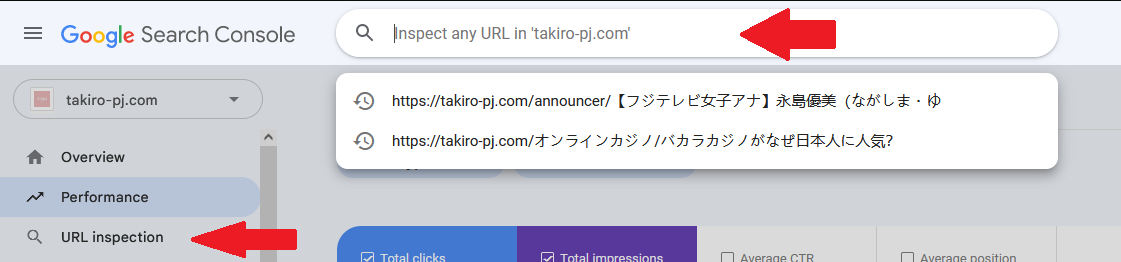
- You are now on the standard overview. In the left-hand menu click URL inspection, then paste the URL you want indexed into the search field at the top. In this example the URL is:
https://takiro-pj.com/オンラインカジノ/バカラカジノがなぜ日本人に人気?
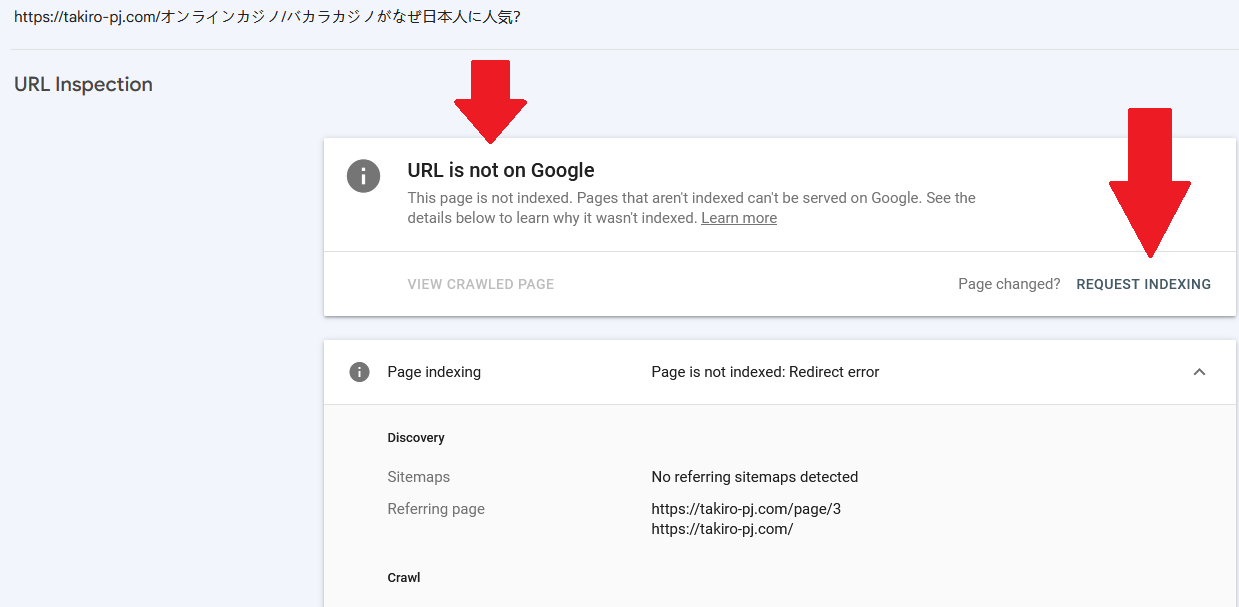
- GSC tells you whether the URL is indexed. Here it says the URL is not on Google, so click Request Indexing. That is the request submitted. It takes a while, and submitting the same URL again and again does not speed it up; if anything it does the opposite.
Keep a note of the URLs you have submitted and check them again after 2-4 days. Most will be indexed by then. If any still show “is not on Google“, a third-party tool such as IndexMeNow.com is the next step.
Google’s own reference for this is the URL Inspection tool documentation in Google Search Console, and the Search Central video below walks through the same steps.
Indexing troubleshooter: why is this URL not in Google?
“Request indexing” is the last step, not the first. Answer what Search Console’s URL Inspection actually says and this walks the same decision path we use on client sites — most “indexing problems” resolve two questions in.
What does URL Inspection say?
Honest answer: is this page meaningfully different from, and better than, what is already indexed on the topic?
How is the page linked internally?
- 1Check robots.txt and the sitemapConfirm the URL is not disallowed and IS in the submitted sitemap with a valid 200 status.
- 2Link it from a crawled pageA contextual link from an indexed, trafficked page is the fastest discovery signal there is.
- 3Then request indexingInspect the URL and request — it queues the crawl once the path above exists.
- 1This is a quality verdict, not a bugGoogle crawled it and chose not to keep it. Resubmitting the same page changes nothing.
- 2Consolidate or upgradeMerge overlapping pages into one stronger URL, or rewrite until this page earns its slot.
- 3Recheck cannibalisationIf a sibling page targets the same term, Google may simply be picking the other one.
- 1The fundamentals are in placeUnique page, real links — indexing at this point is usually a matter of days to weeks.
- 2Nudge it onceRequest indexing once; repeated requests for the same URL do nothing extra.
- 3Add one more internal linkFrom your strongest relevant page — it shortens the wait more than any resubmission.
- 1Google knows it exists but will not spend the visitDiscovered-not-indexed on a weakly linked URL is a priority signal, not a penalty.
- 2Raise its internal profileLink it from the homepage or a category hub; move it out of pagination dead ends.
- 3On big sites, check crawl wasteIf the budget drains into parameters and duplicates, new URLs queue forever.
- 1The page is excluded on purpose — possibly yoursA noindex tag, a canonical to another URL, or a robots block is winning. Inspection names which.
- 2Resolve the contradictionRemove the stray directive, or accept the exclusion if it is correct — plugins and themes add these silently.
- 3Re-inspect after the fixThen request indexing once the live test shows the page as indexable.
How SEO Butler fits in
SEO Butler is a backlink marketplace and content studio in Malta. We run technical SEO, on-page SEO, content creation, off-page SEO and link building on a portfolio of websites of our own across nine markets, which is where the advice on this page comes from. If you need links, the backlink marketplace is where you procure placements on established sites, priced before you order, with the articles written by native speakers. The search engine optimisation page shows how the pieces fit together.
Read about the six SEO services as we practise them, see the markets we build links in, or tell us what you are trying to rank.