

Audit housekeeping planner: stop drowning in stale crawls
Deleting an audit is thirty seconds; knowing which crawls to keep, which to schedule and which to bin is the part that saves your credits and your sanity. Set your project count and cadence to get a housekeeping plan.
The keep-or-delete rules we use
| Crawl | Verdict | Why |
|---|---|---|
| Latest completed crawl | Keep | Your current state of record |
| Last pre-migration / pre-redesign crawl | Keep | The only before-picture you will ever have |
| One baseline from ~a quarter ago | Keep | Trend comparison without hoarding |
| Failed or partial crawls | Delete | Wrong settings produce false issues that waste triage time |
| Duplicate same-week crawls | Delete | Noise between them is crawl variance, not change |
| Old crawls of abandoned projects | Delete project | Free the slot — the data has no decision left to inform |
Delete a project in Ahrefs
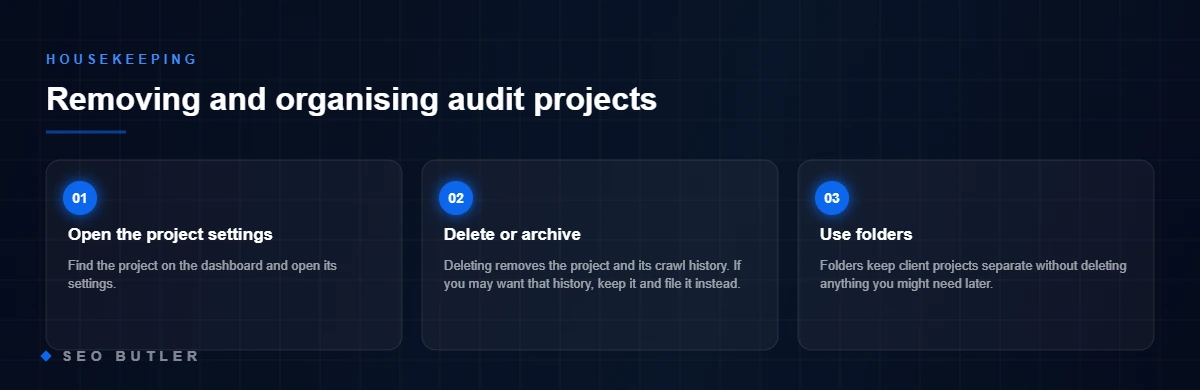
Deleting a project in Ahrefs takes about ten seconds once you know where the option is hiding. This short guide shows how to delete an Ahrefs project or Site Audit for a particular website or domain.
Here is what to do:
- Scroll to the project you want to remove and click the three-dot menu.

- From the dropdown, choose “Delete” to bring up the “Delete project” confirmation.
- Click Delete project, then confirm with Delete this project. On the deletion page, tick all three boxes and finish by clicking Delete.

That is all there is to it. If you want more SEO tips like this, have a look at our blog.
Organise your Ahrefs dashboard with folders
Ahrefs is a good tool for running a lot of projects at once, and that is also how the dashboard gets out of hand. Our SEO managers live in Ahrefs all day, and their fix is simple: folders keep the workspace tidy.
You can group related projects, keep client work separate or sort by type of task. It makes the dashboard quicker to move around and keeps things orderly as the project list grows.
Summary
Deleting a project in Ahrefs is easy. Just remember there is no undo, so be sure before you confirm.
If you have other SEO questions, the team at SEO Butler is happy to help.
FAQ on deleting a project in Ahrefs
Can I restore a deleted project?
No. Once a project is deleted in Ahrefs it is gone, so check that you no longer need the data before you confirm.
Does deleting a project remove all its data permanently?
Yes. The project and everything attached to it, including its Rank Tracker and Site Audit data, are removed from the dashboard for good.
Will deleting a project affect my folders?
If the project was inside a folder it disappears from that folder too. The folder itself, and its name, stay as they are.

How SEO Butler fits in
SEO Butler is a backlink marketplace and content studio in Malta. We run technical SEO, on-page SEO, content creation, off-page SEO and link building on a portfolio of websites of our own across nine markets, which is where the advice on this page comes from. If you need links, the backlink marketplace is where you procure placements on established sites, priced before you order, with the articles written by native speakers. The search engine optimisation page shows how the pieces fit together.
Read about the six SEO services as we practise them, see the markets we build links in, or tell us what you are trying to rank.