

This is the routine we follow on our own sites to disavow links in Google Search Console when a backlink profile has picked up spammy or harmful links.
- Start with Google’s own guide, so you know what the tool does and what can go wrong if you use it carelessly: https://support.google.com/webmasters/answer/2648487#file_format
- The Disavow Tool itself is here: https://www.google.com/webmasters/tools/disavow-links-main
- Make sure you are logged in with the Google Search Console account that owns the domain.
- Find the domain in the list.
- If you see the error “Domain properties are not supported at this time” when you upload the file, add a URL-prefix property for the site and choose that one instead. The tool can take a while to notice a new URL-prefix property, so do not panic if it is not there straight away.
- Build your disavow list and upload it.
- Then set yourself a reminder for about 30 days later to check what effect the disavow had. On our own sites that goes in the task board so it does not get forgotten.
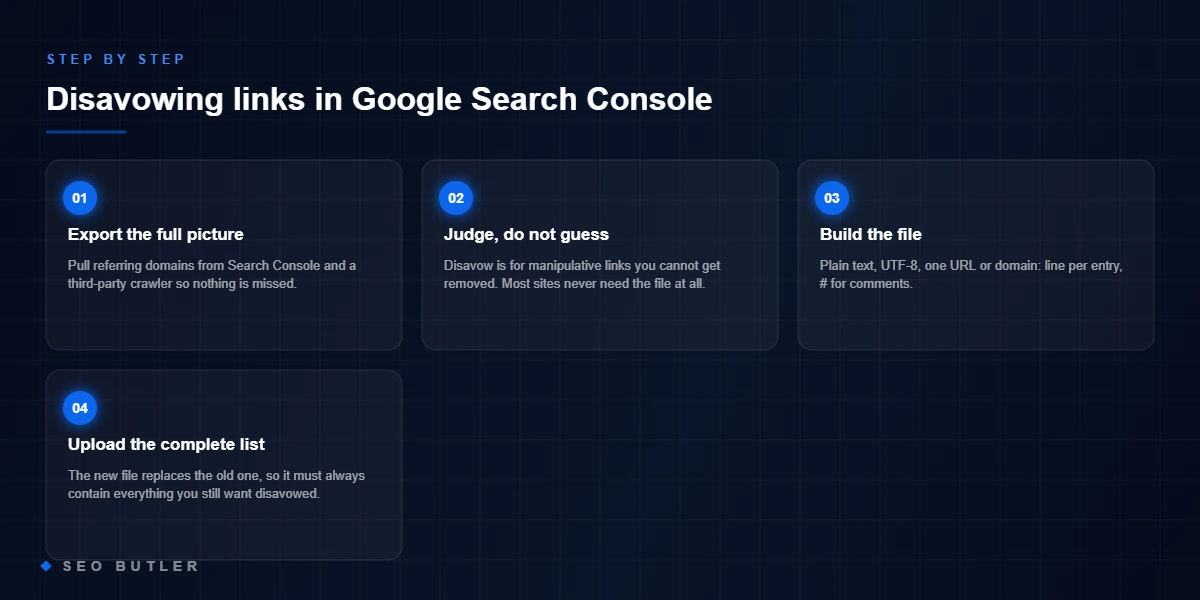
Disavow file generator: a valid file, formatted the way Google requires
Disavow files fail silently on formatting: a stray http://, a pasted URL where a domain rule was meant, an invisible BOM from Excel. Paste your list and this produces a clean, commented file that uploads without surprises.
Save as UTF-8 .txt, then upload in Search Console’s disavow tool for the exact property. One file per property — a new upload replaces the old one entirely.
Before you upload — the three-question gate
- 1Do you actually need this?Google ignores most spam links on its own. Disavow is for manual actions and clearly toxic patterns at scale — not for tidiness.
- 2Are you sure about every domain?Disavowing real links is self-harm with no undo grace — when in doubt, leave it out.
- 3Is the root cause fixed?If the toxic links came from a cheap campaign, the file treats the symptom — the buying pattern is the disease.
How SEO Butler fits in
SEO Butler is a backlink marketplace and content studio in Malta. We run technical SEO, on-page SEO, content creation, off-page SEO and link building on a portfolio of websites of our own across nine markets, which is where the advice on this page comes from. If you need links, the backlink marketplace is where you procure placements on established sites, priced before you order, with the articles written by native speakers. The search engine optimisation page shows how the pieces fit together.
Read about the six SEO services as we practise them, see the markets we build links in, or tell us what you are trying to rank.